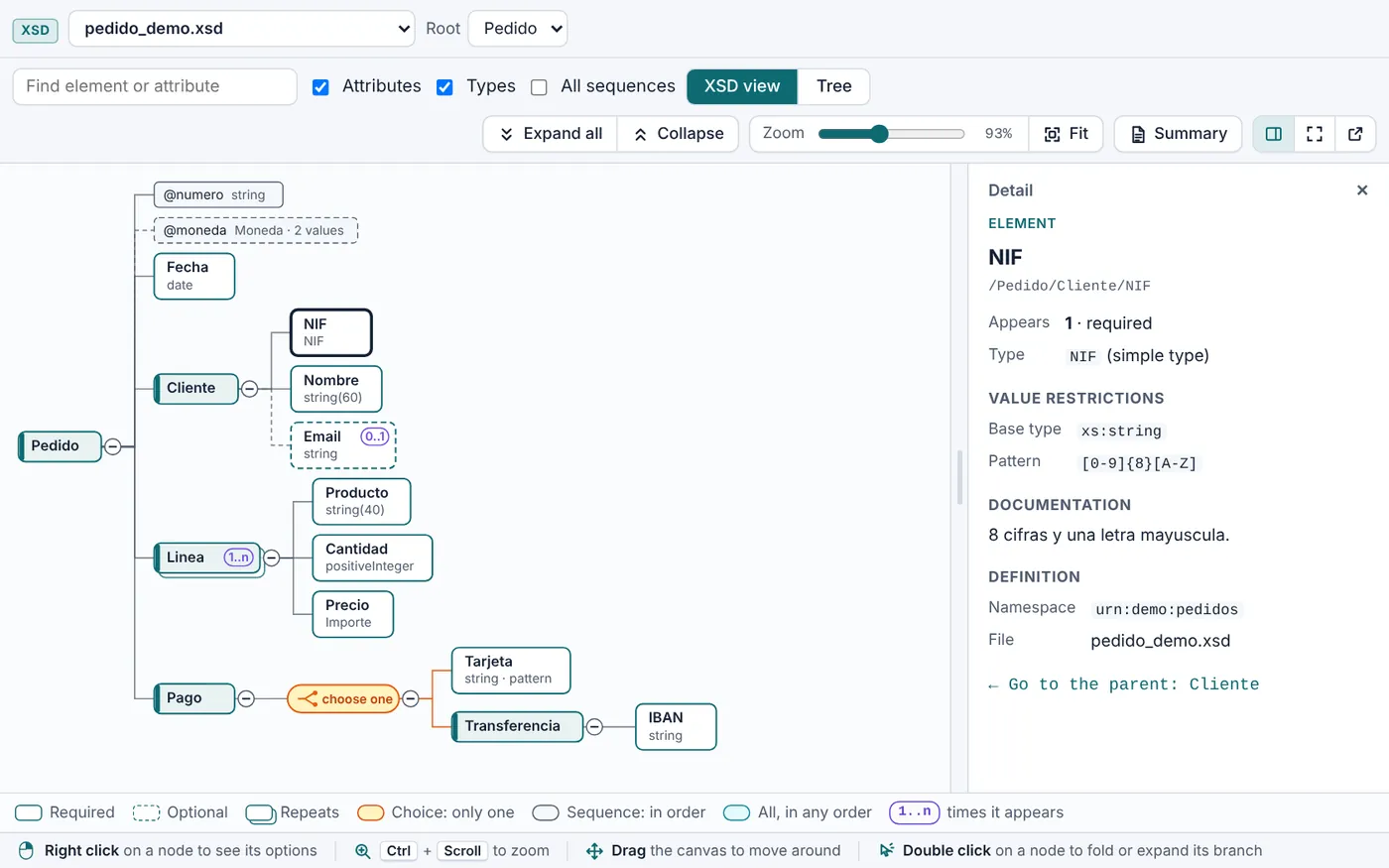
XSD Diagram
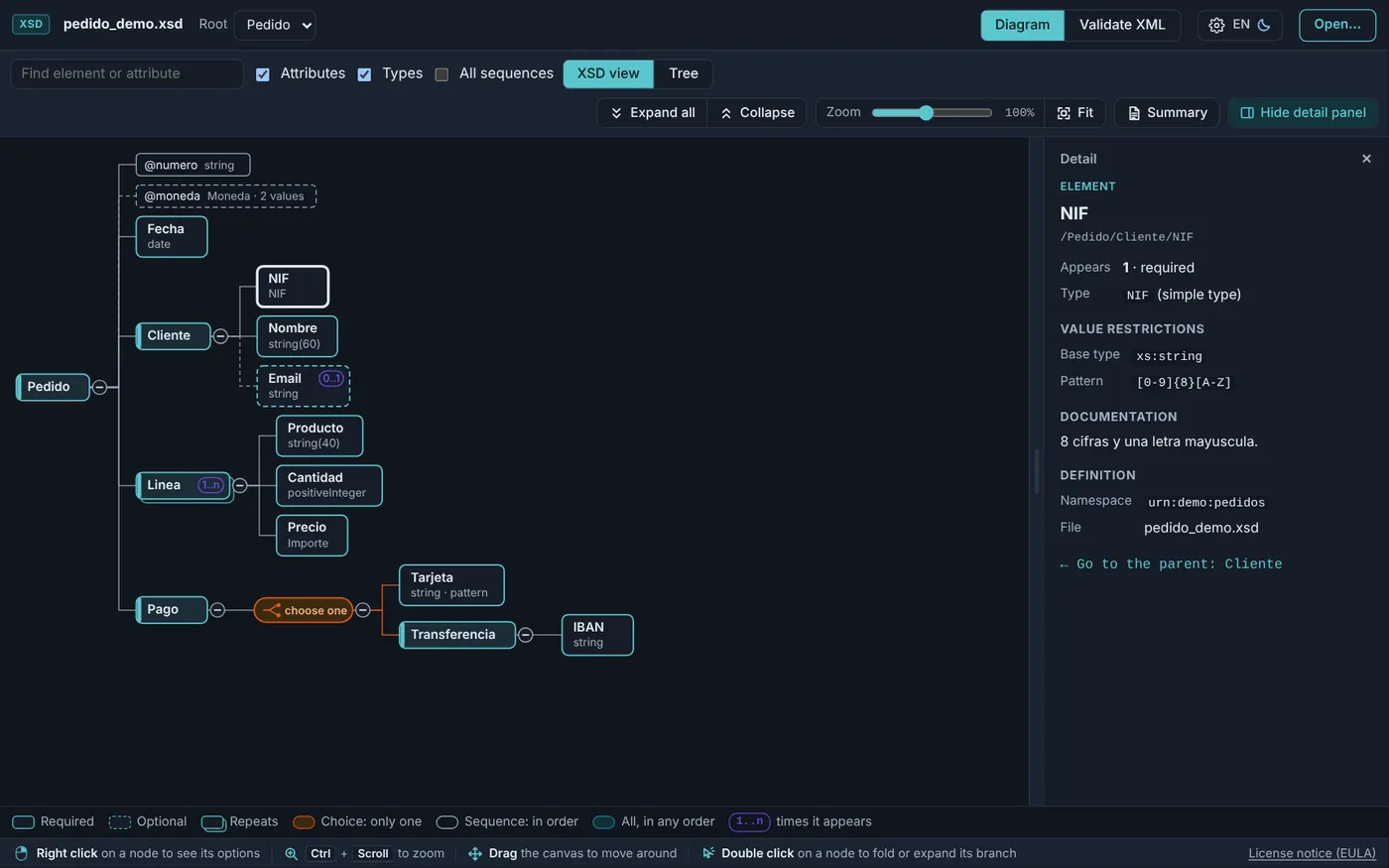
Look at any XSD, or a WSDL, as a diagram or as a tree, and understand its structure at a glance.
- The detail of every field, one click away
- Search, filters and full screen
- Summary in PDF or HTML and a drawing for Excalidraw
<xs:schema> · version 1.4.1 · Windows 10 and 11 · free
XSD Easy is a free desktop app with seven tools to view, compare, turn into SQL tables, generate and validate XML and create Java classes from your XSD schemas. Everything happens on your computer.
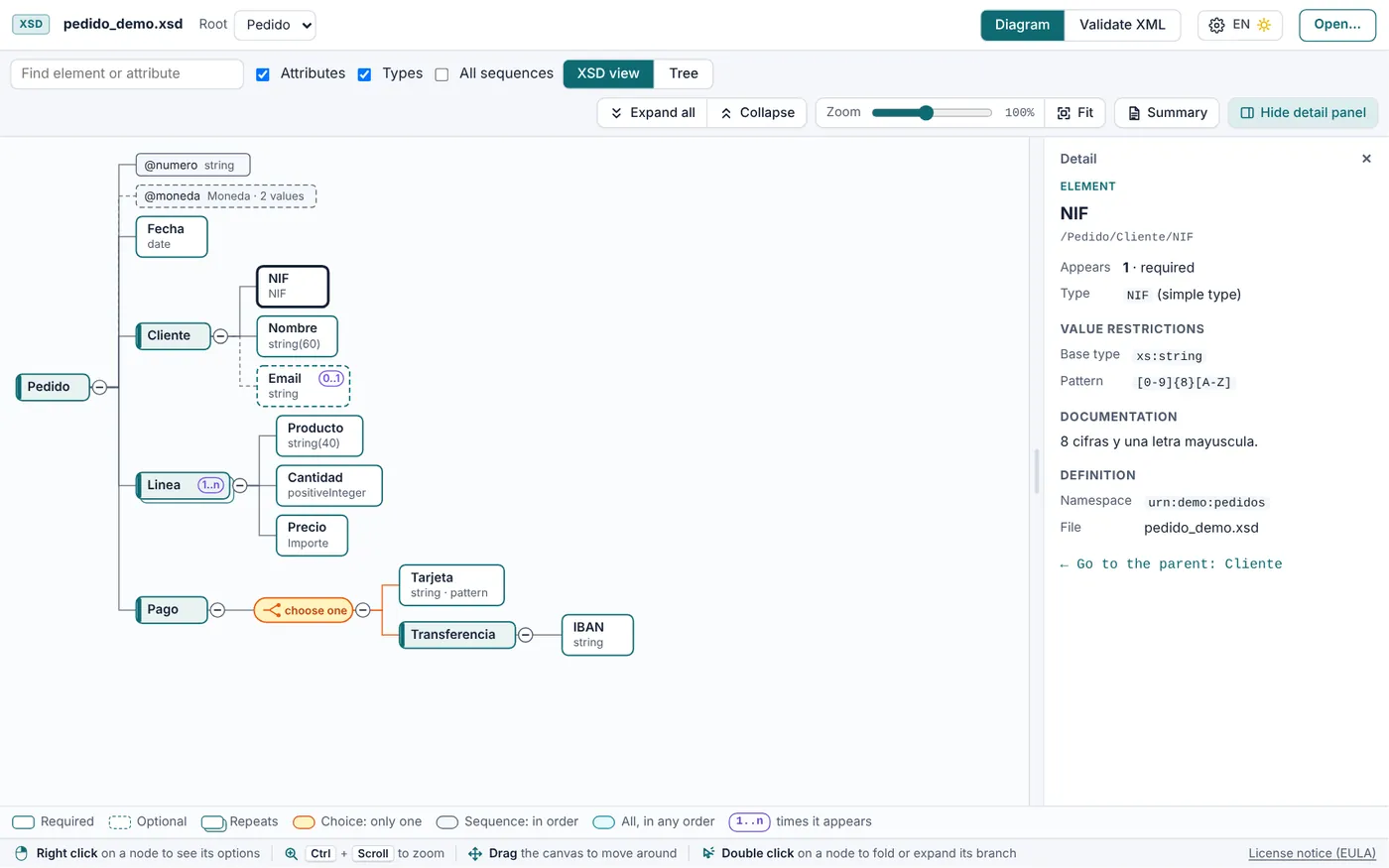
Load your schemas once and move from one tool to the next. Each one guides you step by step, and the tutorials show you how to use it with example data.
Look at any XSD, or a WSDL, as a diagram or as a tree, and understand its structure at a glance.
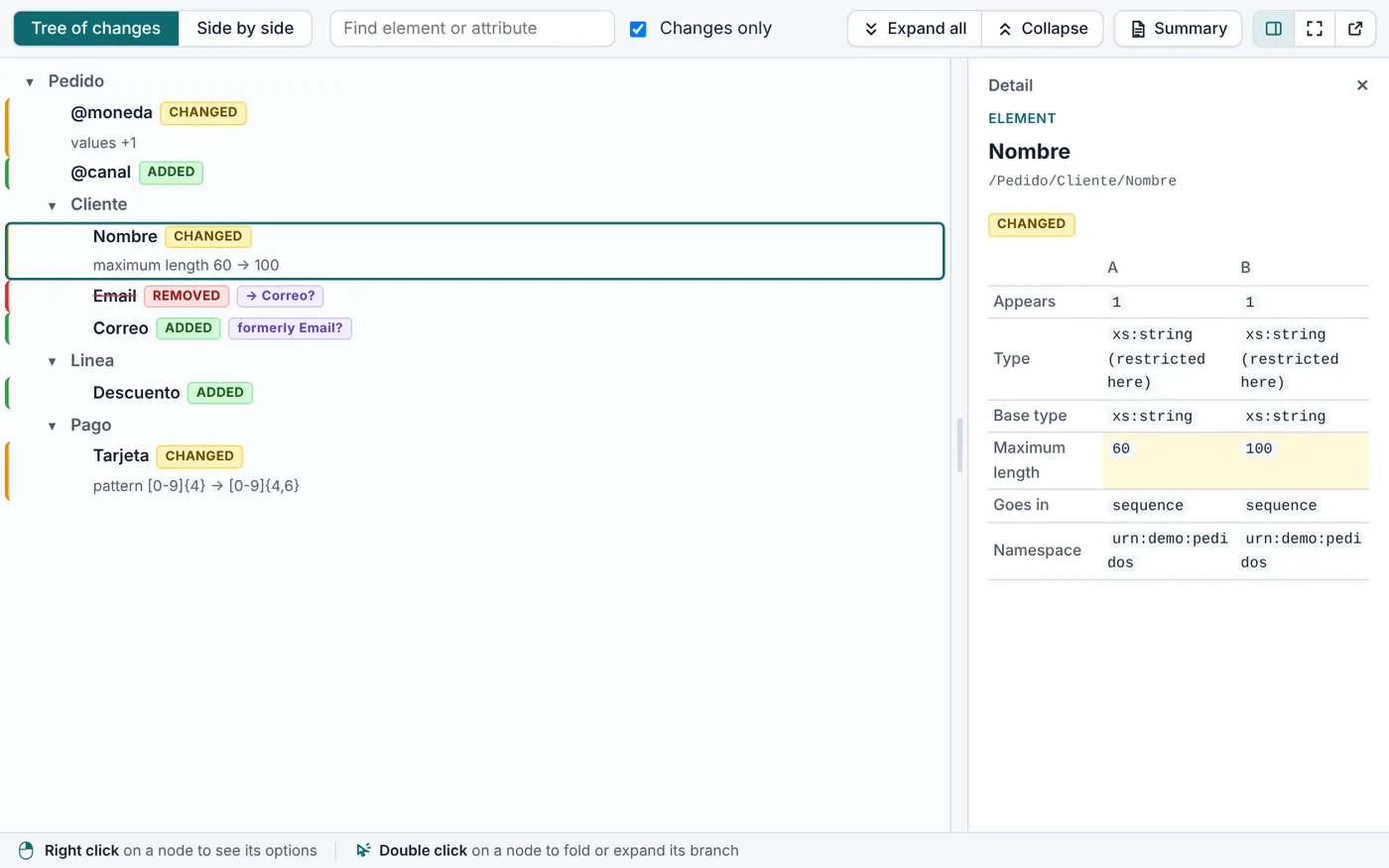
Compare two versions of an XSD and find out what changed between them.
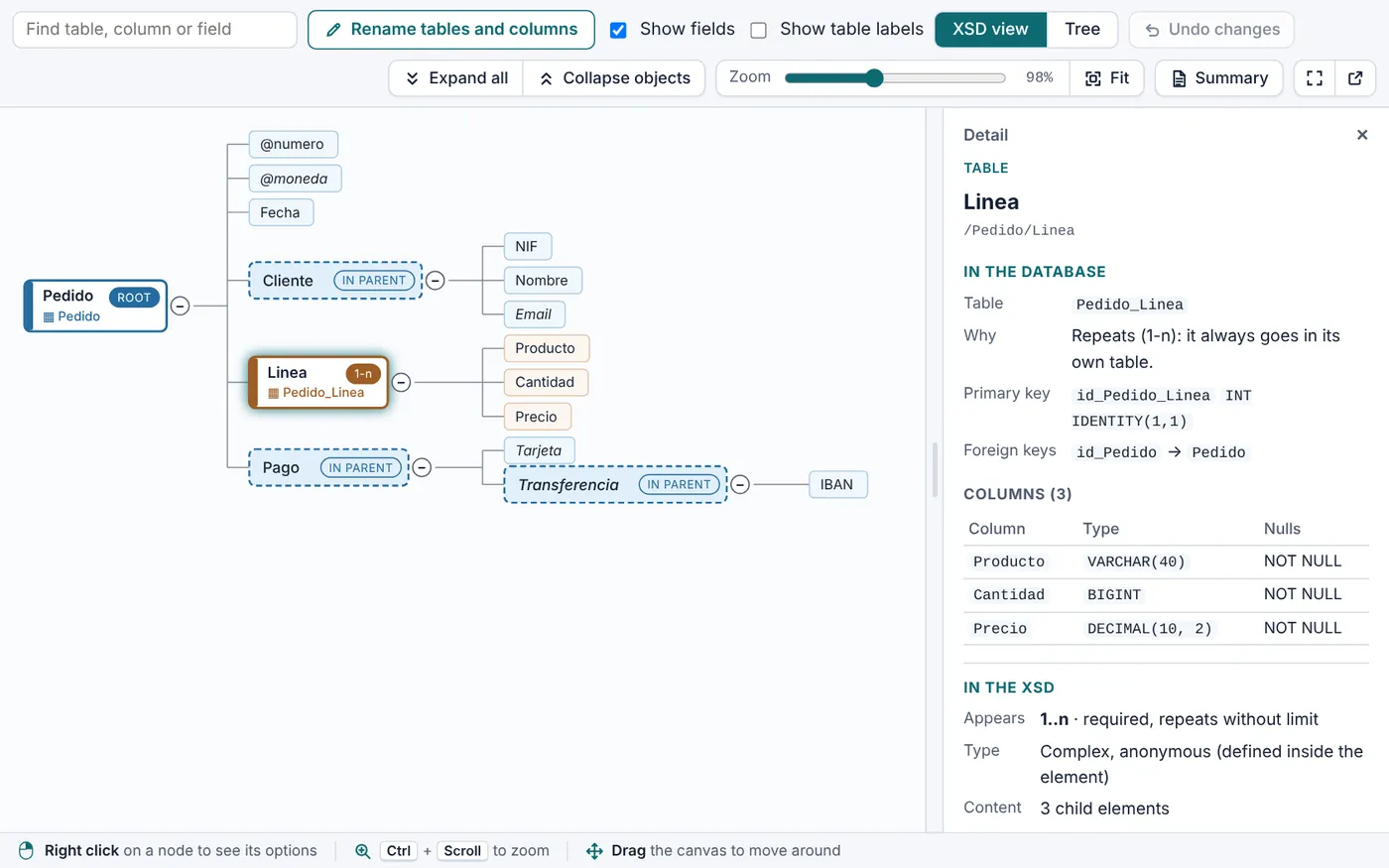
Turn an XSD into a table model ready for your database.
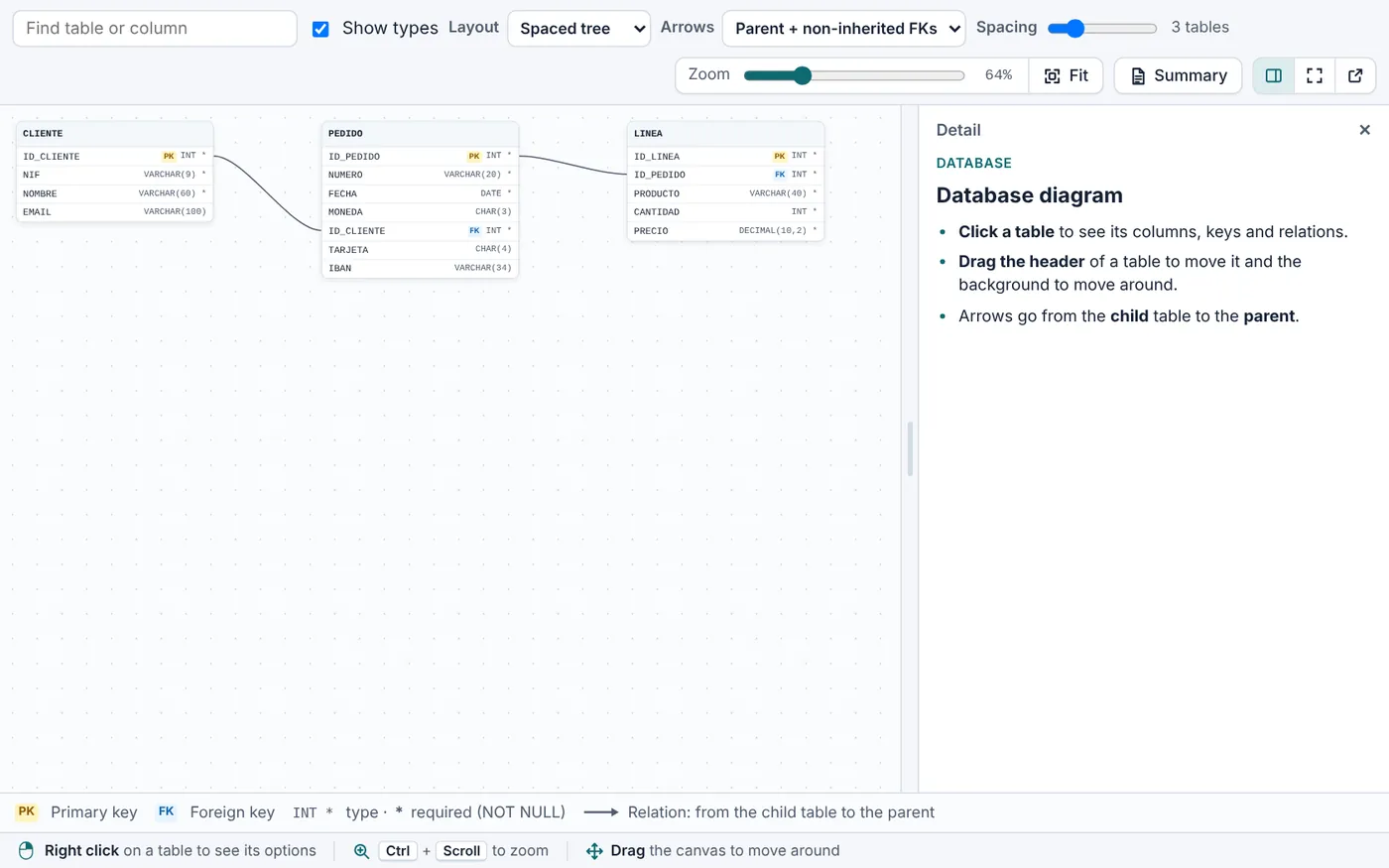
Draw the tables and relations of a database from its CREATE TABLE statements.
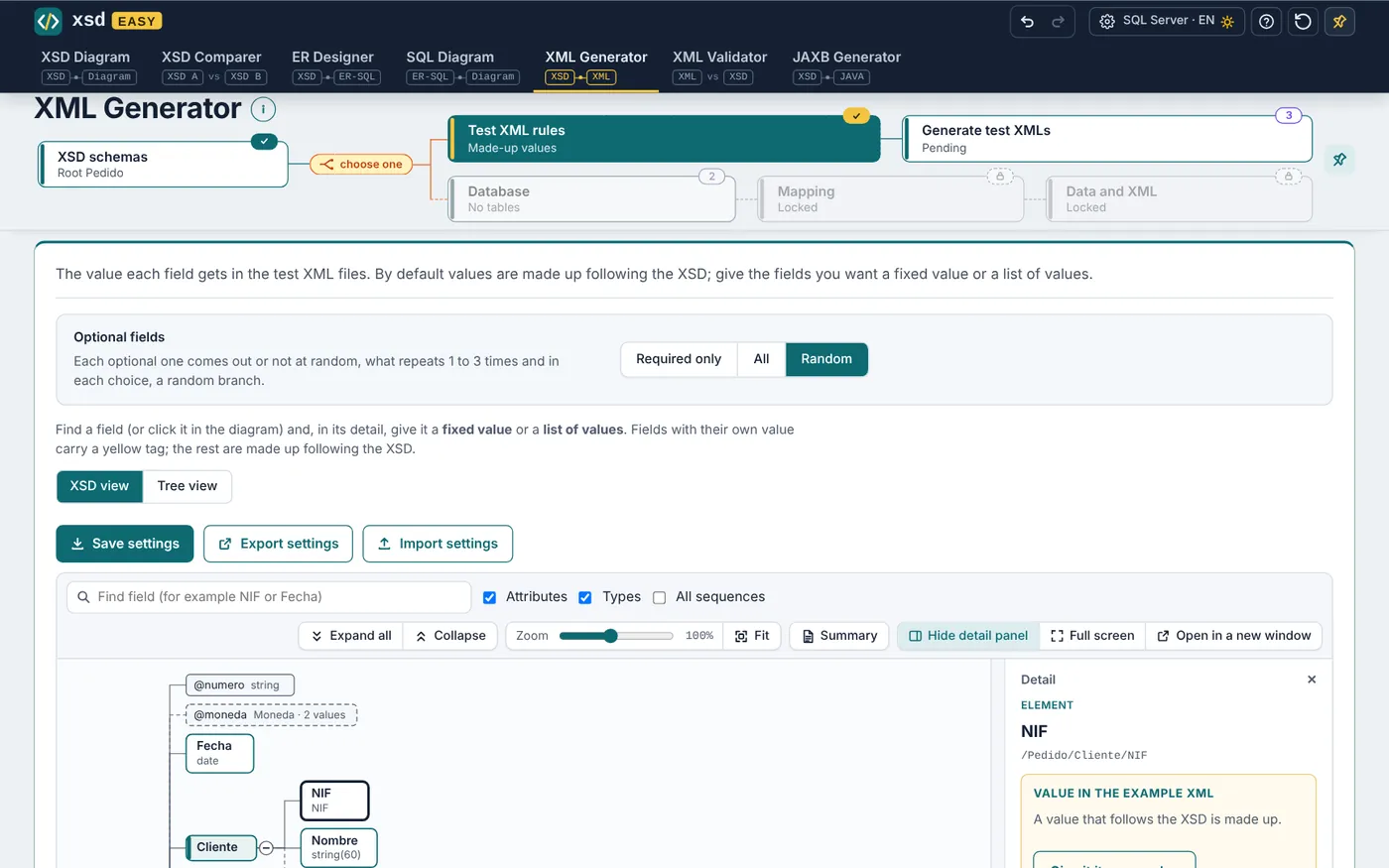
Create XML files that follow the XSD, for testing or with your real data.
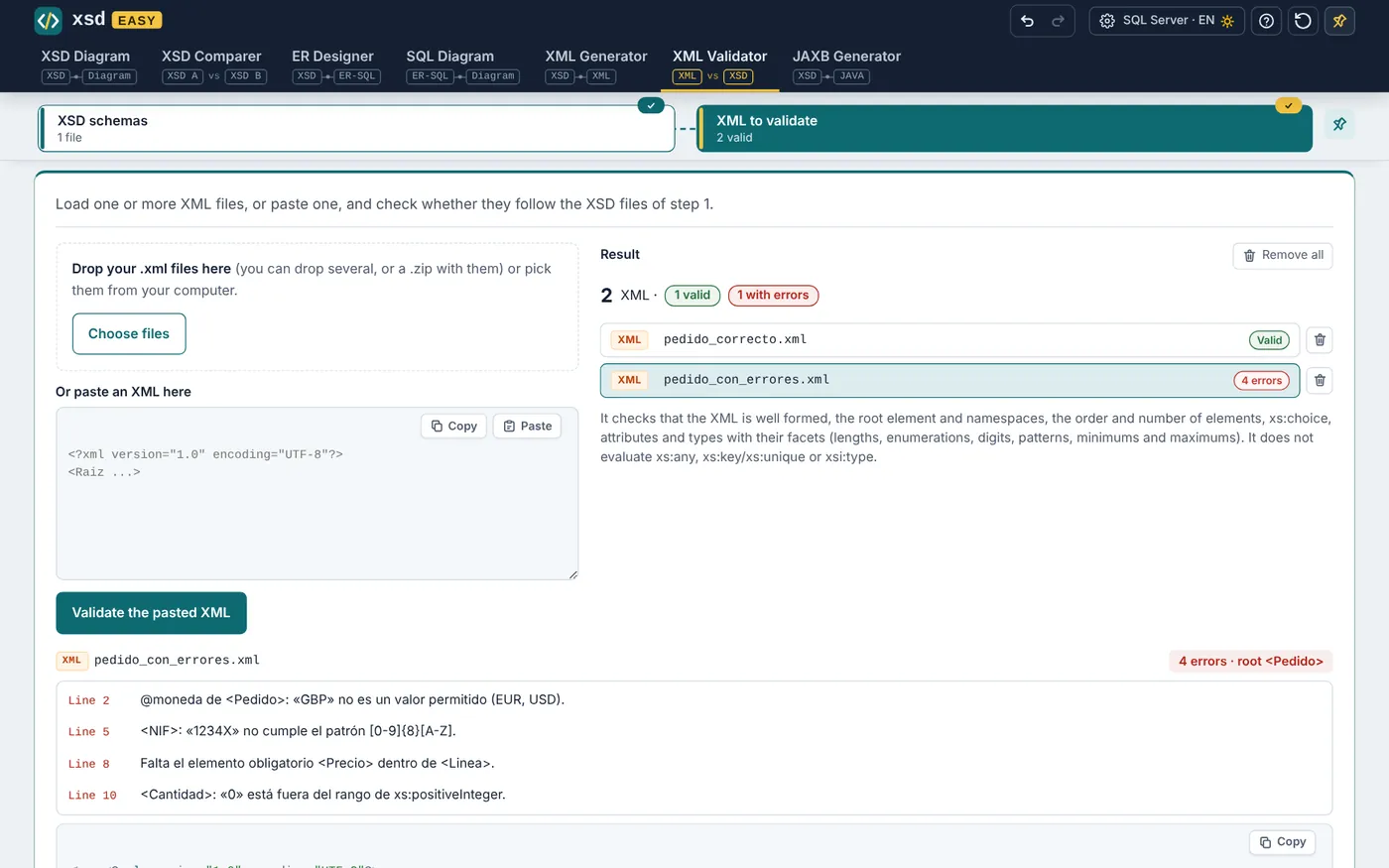
Check whether your XML files follow their XSD, and see where and why they fail.
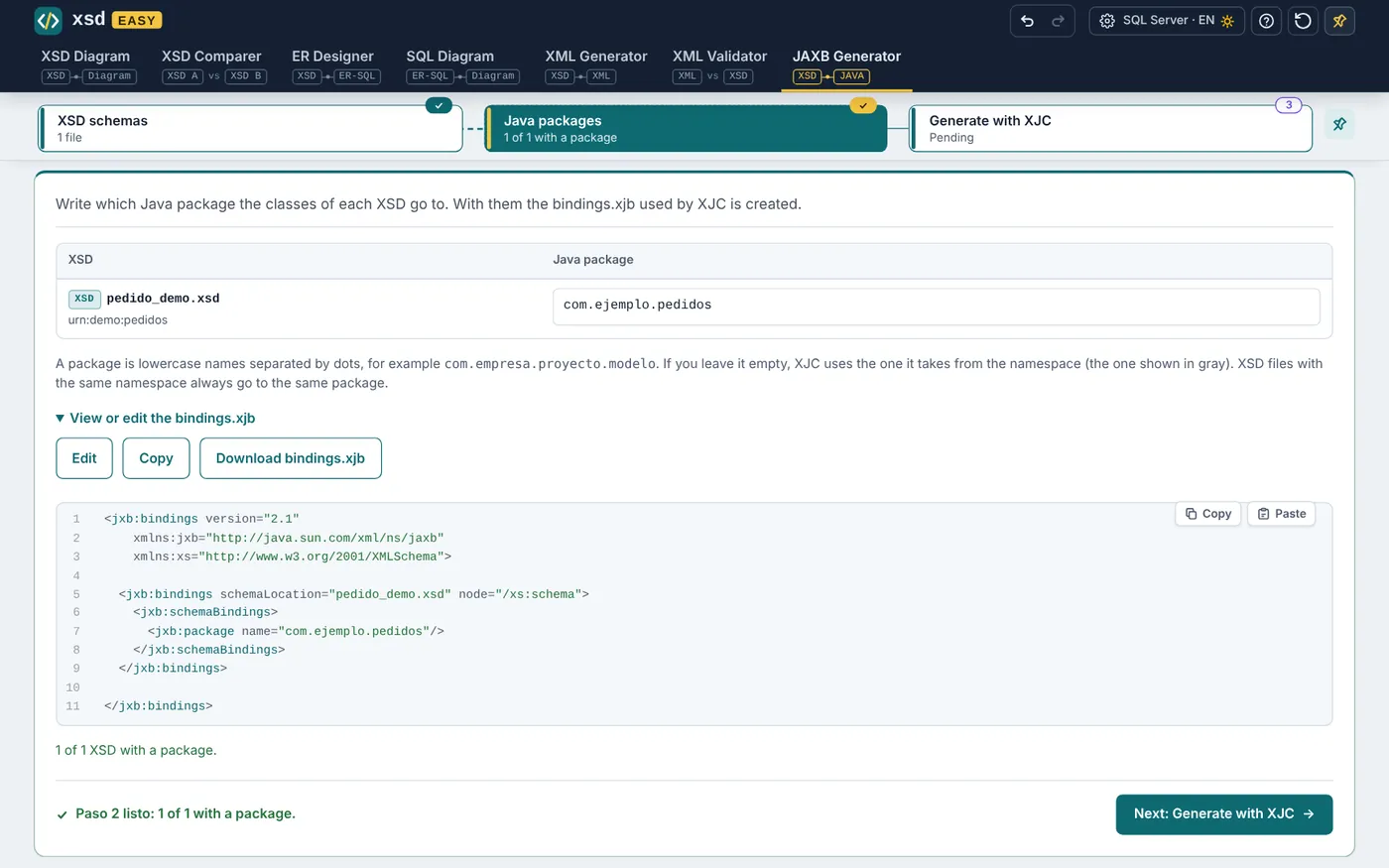
Generate the Java classes of your XSD without fighting the command line.
Your XSD, your data and what you generate never leave your computer. No accounts, no servers.
One folder keeps your XSD, designs, mappings and results, so you pick up where you left off.
SQL, types and queries are written for SQL Server or Oracle, with one click.
Take the XSD or the table model to Excalidraw to document or present it.
The app, and the SQL and XML it generates, in the language you choose.
Light and dark themes, scaling for the whole app and a window of its own for each viewer.
A separate, lighter app for anyone who only needs to look at schemas. Double-click a .xsd or .wsdl and each file opens in its own window.
Free for personal and professional use. The installer integrates with Windows; the portable version is a single file that runs without installing anything.
All seven tools: diagrams, comparer, table designer, generators and validator.
v1.4.1 · Windows x64Setup wizard, shortcuts and "Open with…" for .xsd files.
XSD-Easy-1.4.1-Setup.exeDownloadWindowsA single .exe: copy it anywhere and run it, nothing to install.
XSD-Easy-1.4.1-Portable.exeDownloadWindowsOnly the XSD and WSDL viewer, lighter. Opens each file in its own window.
v1.4.1 · Windows x64Setup wizard, shortcuts and "Open with…" for .xsd files.
XSD-Easy-Viewer-1.4.1-Setup.exeDownloadWindowsA single .exe: copy it anywhere and run it, nothing to install.
XSD-Easy-Viewer-1.4.1-Portable.exeDownloadWindowsSystem: Windows 10 or 11, 64-bitLicense: free (read the license)JAXB Generator: needs your own JDK or JAXB
A free desktop application for Windows with seven tools to work with XSD schemas: view them as a diagram, compare them, turn them into SQL tables, generate and validate XML, and create Java classes with JAXB.
Yes. XSD Easy and XSD Easy Viewer are free for personal and professional use, including inside companies. The terms are in the license agreement.
No. Your XSD, your data and everything you generate are processed on your computer. The app needs no account and no connection to work.
With the ER Designer: load the XSD, choose a few simple rules, adjust the design if you want and download the CREATE TABLE statements for SQL Server or Oracle.
Yes. The XML Generator creates one or many XML files that follow the XSD, with made-up values or the ones you set, and also from the data of your database. Every XML is validated before you download it.
The installer integrates with Windows: shortcuts, uninstall and "Open with…" for .xsd files. The portable version is a single .exe you run from any folder or USB stick, with nothing to install.
A JDK or a JAXB installation that includes XJC. XSD Easy prepares the bindings.xjb and runs XJC for you.
For now only on Windows 10 and 11, 64-bit.
XSD Easy is free and will stay free. If you find it useful and want to support its development, you can buy me a coffee on Ko-fi.